
Showing posts with label kindle. Show all posts
Showing posts with label kindle. Show all posts
Wednesday, June 29, 2011
WSJ Fight Club: Kindle vs. Nook

Tuesday, June 28, 2011
Star Wars collection coming the Digital Age
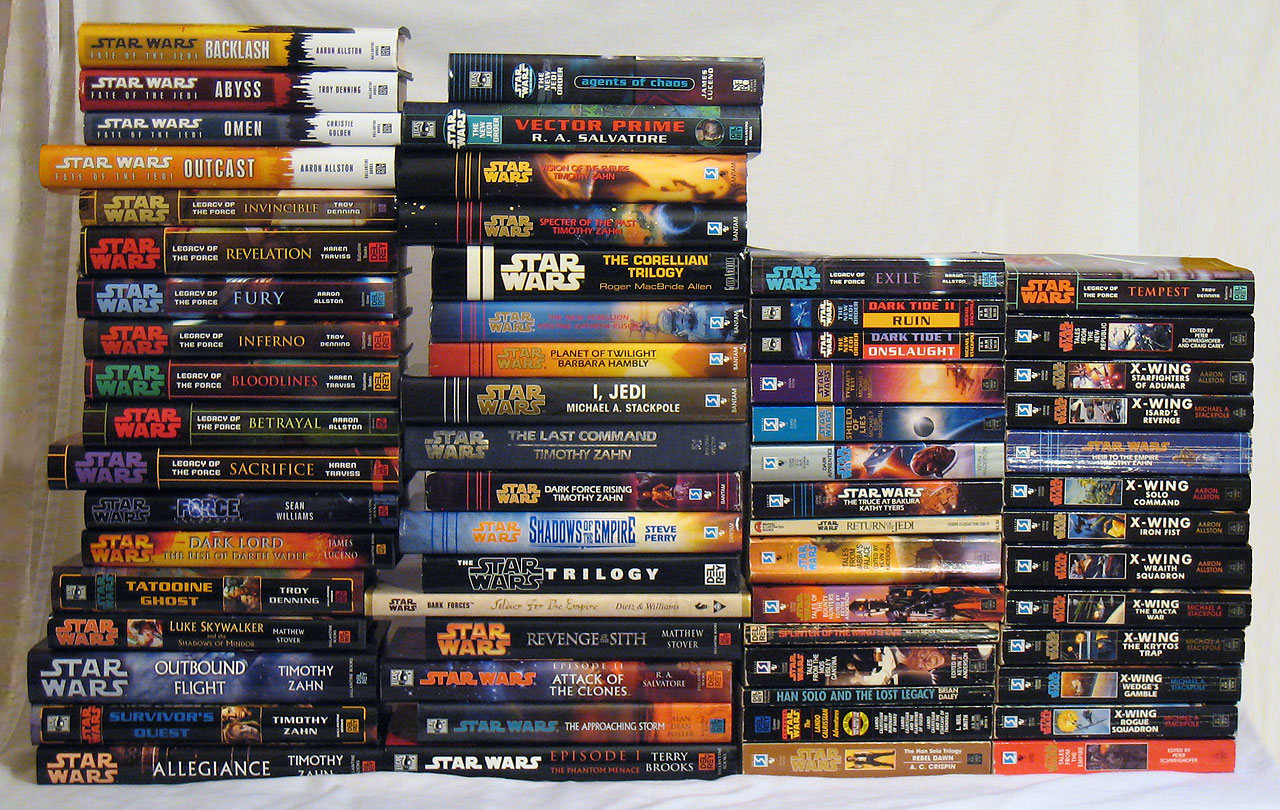
The books will also include bonus content including timelines and overviews of major Star Wars eras.
Source
Libraries are seeing a spike in ebook lending

Source
Monday, June 27, 2011
Authors may soon be signing your ebook!

Kindlegraph and Autography are programs being developed that allow writers to literally sign your ebooks so that the autograph is viewable on the ereader.
The first was developed by a former Amazon veteran, Evan Jacobs, during a hackathon sponsored by Docusign (he won second prize!). So far Kindlegraph is more of a side-project than anything serious, but more authors are jumping at the opportunity.
Here's how it works: A reader will make a request to KindleGraph that they want a certain book signed, Kindlegraph contacts that author and gets the e-signature which is then sent to your kindle as a separate page. Users could collect a whole 'book' of autographs.
Autography is another start-up with the same idea. Right now both are trying to get authors excited about this idea. Hopefully we'll see some good things come out of these companies in the near future!
Source
KindleGraph
Autography
Crave calls New Nook: Best overall e-ink reader

Why John Locke would be better off with a publisher
The Shatzkin Files has a great piece about the first independent author on Amazon to reach 1 million sales and why that author would be (financially) better off if he signed with a publisher instead of selling his books for a dollar independently. Here's a quick section:
Check out the entire article here.
Let’s do the math. Locke has sold 1 million ebooks at 99 cents each. He gets 35% of the revenue, so that amounts to something less than $350,000 (credit card fees are deducted from the net). There are some production costs involved (he hires a cover designer and he gets help formatting his books), so knock off another ten or fifteen grand. That means his net for nine novels averages out to about $35,000 each. He’s getting no apparent revenue from print and he’s getting no print exposure in stores which would further stimulate online sales. At 35 cents per copy, he’s earning less than the per unit royalty he’d get from a publisher selling his books for about $2.99, the point at which the 70% payment from agency re-sellers would kick in, even if the publisher didn’t yield at all on the now-prevailing 25% royalty standard. And if his books were $9.99, he’d be getting $1.75 a copy from a publisher, or about five times what he’s getting now.
Check out the entire article here.
Check out Amazon's Best Kindle releases of 2011!
Amazon has released it's list of best Kindle books for 2011, check it out!
Sunday, June 26, 2011
Maps for your E-Reader
Nate at The Digital Reader got a letter from a developer who has put together map books for 200 cities around the world for the Kindle, Nook and Sony Readers. The developer used maps from the Open Streetmap Project and apparently they work rather well on his K2 despite one or two slight glitches.
You can check out Ebook Maps here. Unfortunately I can't comment on their accuracy as I've never lived in the 200 cities for which they are available.
Source
www.ebookmaps.com
You can check out Ebook Maps here. Unfortunately I can't comment on their accuracy as I've never lived in the 200 cities for which they are available.
Source
www.ebookmaps.com
Friday, June 24, 2011
Re:Post - Getting Blogs on your Kindle (or any ereader)
If you have a decent selection of blogs that you like to read it is actually easy to get them on an e-reader with calibre. I've been using Calibre to get News Downloads for a long time now, but it never occurred to me to use it for Google Reader too.
Here's how:
Here's how:
Subscribe to:
Posts (Atom)